
How to access ganas 33 on mobile
Choose your access method
Installation steps for Android APK
- Download the ganas 33 APK file from our website to your Android device.
- Open your device settings, navigate to Security, and enable "Unknown sources" to allow installation from outside the Play Store.
- Open your file manager, locate the downloaded APK, and tap to install.
- Once installed, open the ganas 33 app, create your account with your email and mobile number, verify via SMS, and you are ready to deposit.
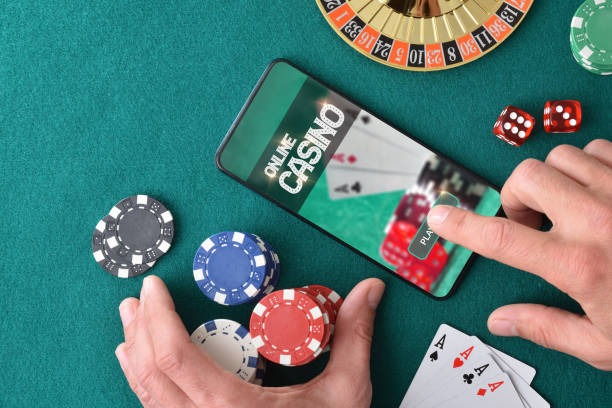
iOS browser and web app access
iPhone and iPad users can access ganas 33 directly through Safari or any mobile browser. Simply visit our website and bookmark it for quick access. The web app is fully responsive and works seamlessly on iOS 12 and later. You do not need to download anything from the App Store—just open your browser and log in.
The web app offers the same functionality as the Android APK: account management, deposit and withdrawal processing, and access to all markets. Many iOS users prefer browser access because it avoids app store restrictions and updates automatically whenever you visit.
App vs browser comparison
- Android APK: Offline cache, push notifications for market updates, faster load times
- iOS browser: No installation required, automatic updates, works on all iOS devices
- Web app: Works on any device, no download needed, same security as app
Device compatibility and requirements
Our ganas 33 app runs on Android 7.0 and later. Most devices released in the past five years meet this requirement. For iOS, we support Safari and other browsers on iOS 12 and later, which covers iPhone 5s and newer models. The web app works on any device with a modern browser—desktop, tablet, or mobile.
We recommend using the latest version of your device's operating system for the best security and performance. If your device is older, the web app is a reliable alternative that does not require installation.
Troubleshooting common installation issues
If you encounter an "Unknown sources" error on Android, go to Settings → Security and enable installation from unknown sources. If your device blocks the APK due to certificate warnings, this is normal—our APK is signed with our security certificate. Tap "Install anyway" to proceed. If the download fails, check your internet connection and try again.
On iOS, if the web app does not load, clear your browser cache and cookies, then refresh the page. If you see a certificate warning, this is rare but can happen with older iOS versions—update to the latest iOS version if possible. If you continue to experience issues, contact our support team through your account dashboard.
We do not store your password or payment details on your device. All sensitive data is encrypted and transmitted securely to our servers. Your device stores only your session token, which expires when you log out.

Data, permissions, and account security
The ganas 33 app requests only the permissions necessary for secure operation: internet access to connect to our servers, SMS permission to verify your phone number during registration, and storage permission to cache app data locally. We do not request access to your contacts, photos, or other personal files.
Your account is protected by your password. We recommend using a strong, unique password and enabling two-factor verification if available. When you log in from a new device, we may ask you to verify your identity via SMS. This extra step protects your account from unauthorized access.
All communication between your device and our servers is encrypted using industry-standard protocols. Your payment information is never stored on your device—it is processed securely through our payment partners. When you deposit via DANA, e-wallet, mobile banking, local payment, online payment, e-wallet, or your mobile banking, local payment, online payment, e-wallet account, your payment details are handled by those providers, not stored by us.
On ganas 33, mobile access is designed for convenience and security. Your account, your payments, and your transactions are protected whether you use the app or browser.